Making AI-generated insights something people actually act on.
This started as a rapid prototype, built solo in Lovable to show what AI-assisted prototyping could do with a global healthcare brand's data. The concept was compelling enough that an engineering team picked it up, and I worked with them to develop it into a real dashboard for executives and operations teams.
The brief was as much a proof of concept as a product ask: could AI-assisted prototyping turn raw, AI-generated healthcare data into an interface people would actually trust and use, fast enough to matter? The raw AI output wasn't usable on its own.
Senior UI/UX Designer. I designed and built the original concept solo as a rapid AI-assisted prototype in Lovable. There was no formal user research on this pass, decisions on hierarchy and trust signals came from my own UX judgment and informal stakeholder feedback. Once the concept proved out, I worked with an engineering team to develop it into a production-ready dashboard.
The prototype was strong enough to move from demo to development. An engineering team built it into a real dashboard, and the design system held up as new AI outputs, data sources, and user roles were added.
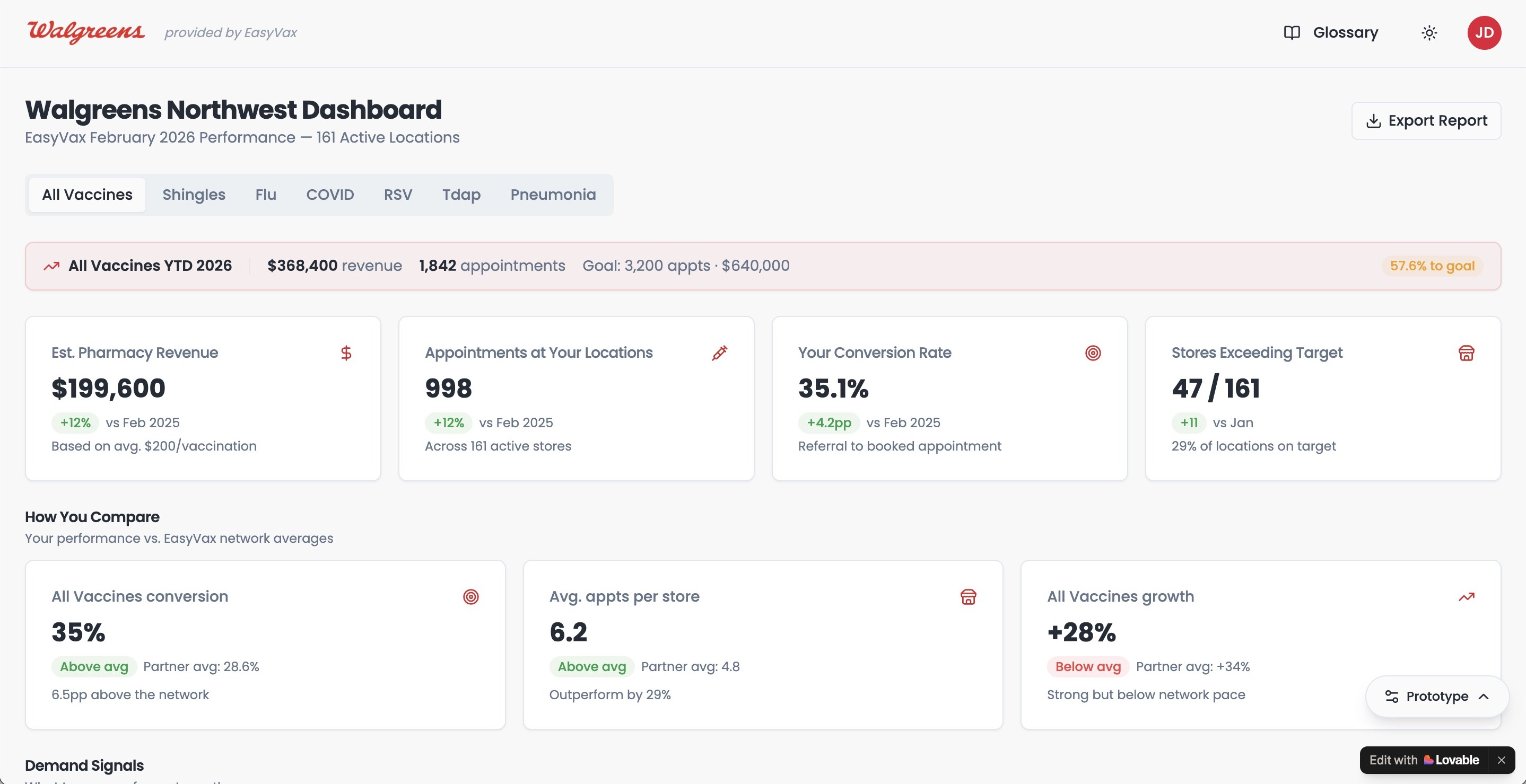
Concept to production
The solo Lovable prototype vs. the dashboard engineering shipped. Same hierarchy and trust signals, refined for production.


How I approached it
The design work for a tool like this happens long before anyone opens a chart library. It starts with understanding what people actually need to know.
Start from domain expertise, not interviews
No formal user research on this pass. I drew on prior experience designing for healthcare executives and operations teams, plus informal feedback from stakeholders who saw early demos, to shape what the prototype needed to prove.
Establish information hierarchy
Structured AI-generated outputs by assumed priority, based on judgment rather than usage data: what surfaces at a glance, what's one click away, what belongs in drill-down detail.
Design for AI transparency
Confidence indicators, data source labels, and plain-language explanations so users could see not just the insight, but how the AI got there, a principle applied by design, not validated through testing.
Prove it, then build it for real
The prototype, built solo in Lovable, was compelling enough that an engineering team picked it up and developed it into a production dashboard.
Decisions that mattered
Making AI outputs feel trustworthy, not just present
Healthcare executives weren't going to act on an insight they didn't understand. Every AI-generated output got a plain-language explanation, a confidence indicator, and a clear data source label, because the "why" mattered as much as the insight itself.
One primary question per view
The temptation in any data-heavy product is to surface everything you have. I held firm on focus: each view answers one primary question clearly, with supporting detail one click away.
Designing empty and low-confidence states as carefully as loaded ones
In a healthcare context, a dashboard that goes silent without explanation is genuinely dangerous. Empty states and low-confidence outputs got first-class design treatment, because those are the moments trust holds or breaks.
What changed
Public-facing highlights:
The Lovable prototype was compelling enough on its own that an engineering team picked it up and built it into a real, production dashboard for executives and operations teams.
The information hierarchy, trust signals, and empty-state patterns from the original prototype carried through to the production build largely unchanged, and have continued to scale as new AI outputs and data sources were added.
The project became a working example of how far a design concept can get, and how quickly, when AI prototyping tools are used to test an idea before committing engineering time to it.
Working with complex data? Let's talk.
I love talking about design and hard problems. Drop me a line or connect on LinkedIn. I'd genuinely love to hear from you.